Shop specialty coffee directly from a roastery in Bandung, all from the comfort of your home. Follow the six easy steps below, from choosing your coffee to completing your payment. Once your order is placed, we’ll process it right away.
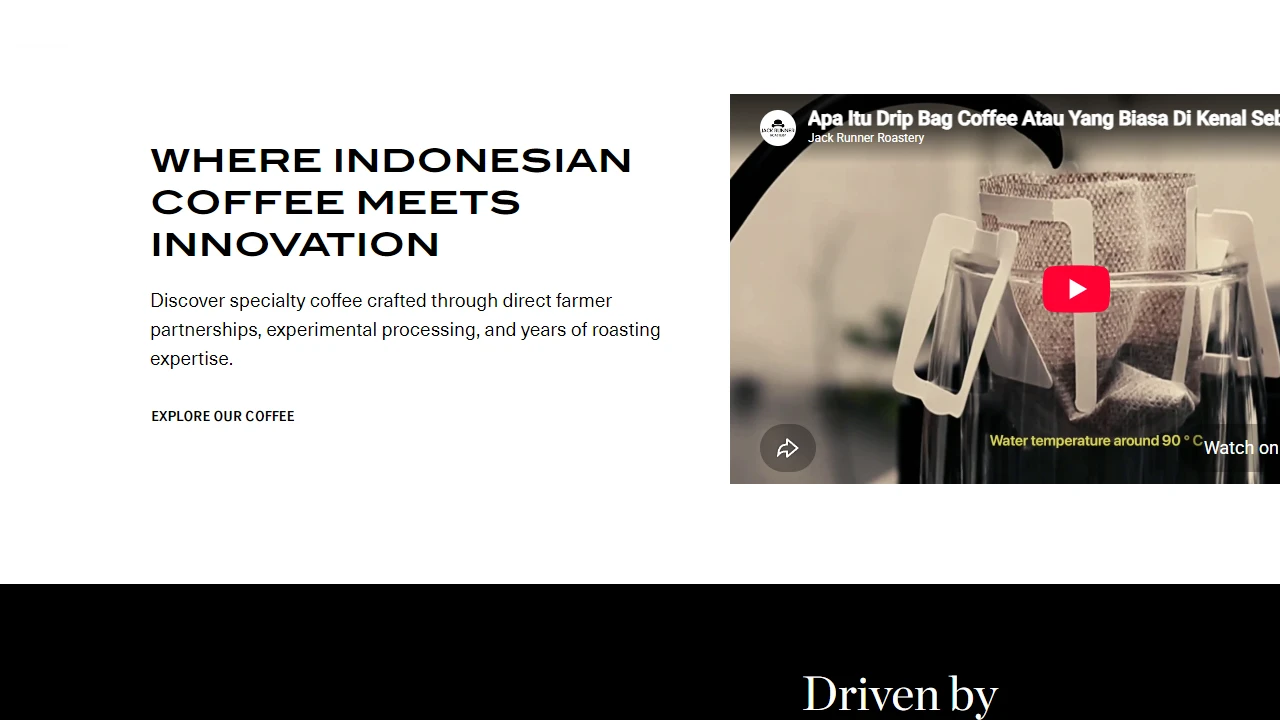
Type jackrunner.coffee into your browser on your phone or laptop. On the homepage, you can learn more about the roastery, discover the latest coffee releases, and start shopping by clicking the Explore Our Coffee button.
Already have items in your cart? Click the Cart icon in the top-right corner to continue your order.
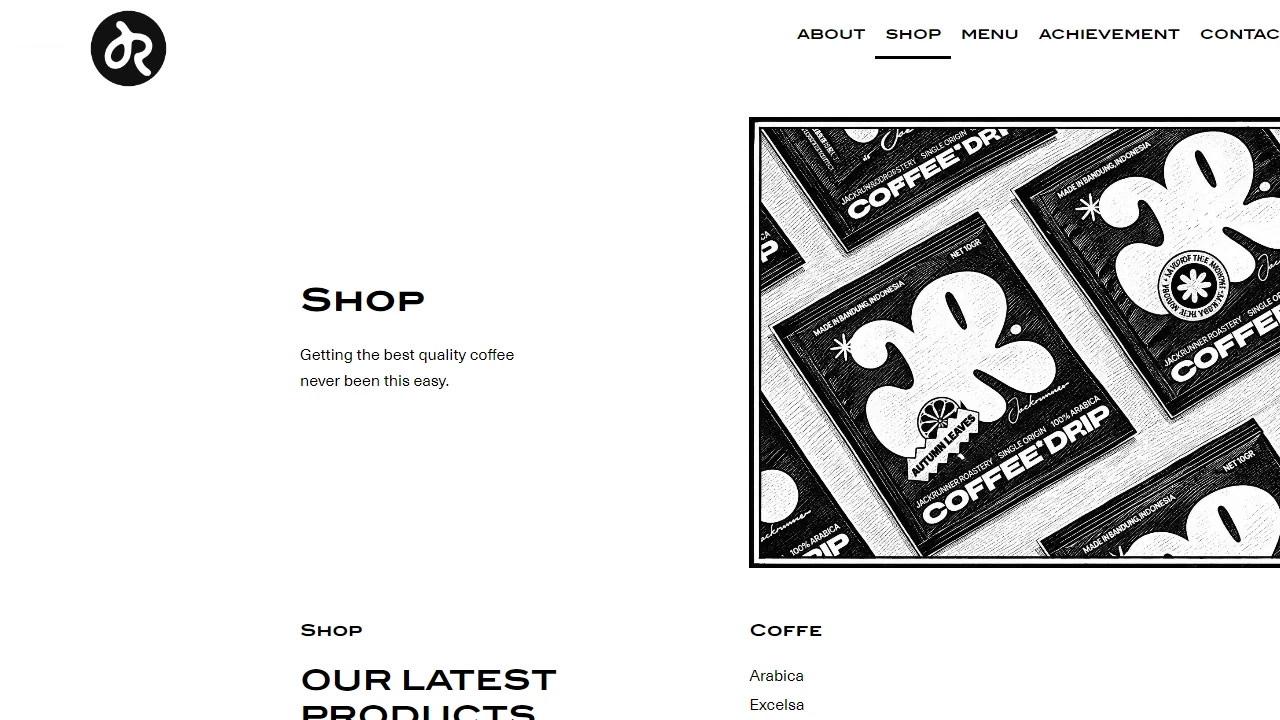
The Shop menu in the top-right corner displays all currently available coffee products. Use the search bar, filter by category (Arabica, Excelsa, House Blend, Robusta), browse by Region or Price, or sort the products based on your preferences.
Click the product name or the Learn More button to view its details.
Each product card displays its price. A price range such as “Rp 90,000 – Rp 150,000” means the final price depends on the package size you select in the next step.
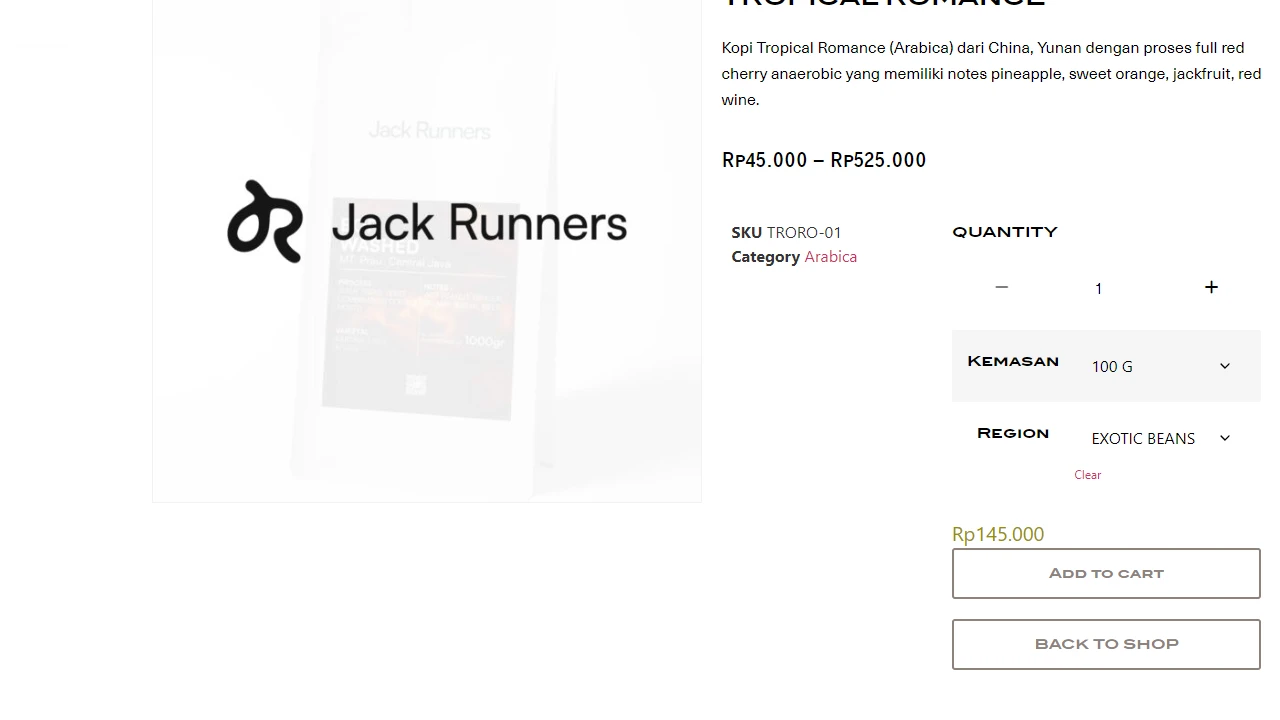
On the product page, customize your order from top to bottom. First, choose your Package Size (such as 20 G, 50 G, 100 G, or 1000 G), select a Region if available, and then adjust the Quantity using the − and + buttons. The price will automatically update based on your selections.
The Add to Cart button will only become available once you have selected both the Package Size and Region. Made the wrong selection? Simply click the small Clear link to start over.
Want to order several types of coffee? Repeat these steps for each product. All your selections will be added to the same shopping cart.
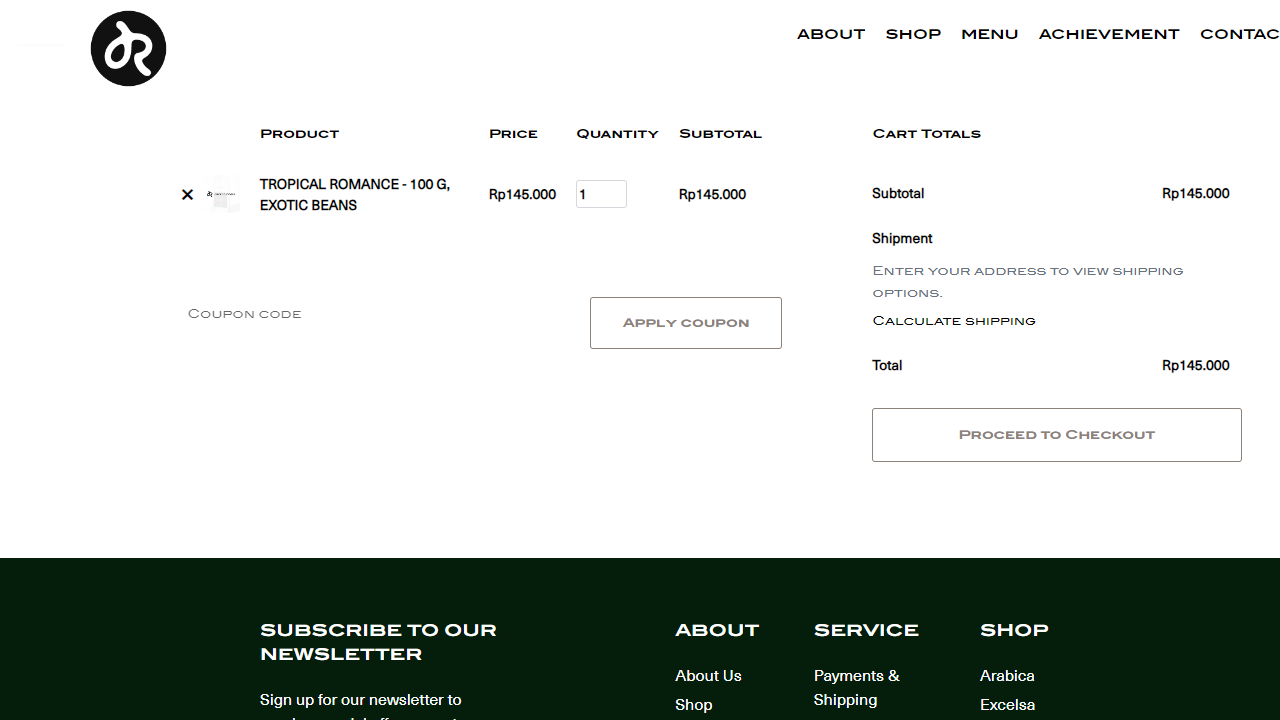
After clicking Add to Cart, you will be taken directly to the shopping cart page. Review your product names, package sizes, quantities, and subtotals. You can adjust the quantity in the Quantity field or click the × icon to remove an item.
Have a coupon code? Enter it in the Coupon Code field and click Apply Coupon before proceeding.
Shipping costs will be calculated in the next step, once you have entered your delivery address. Happy with your order? Click Proceed to Checkout to continue.
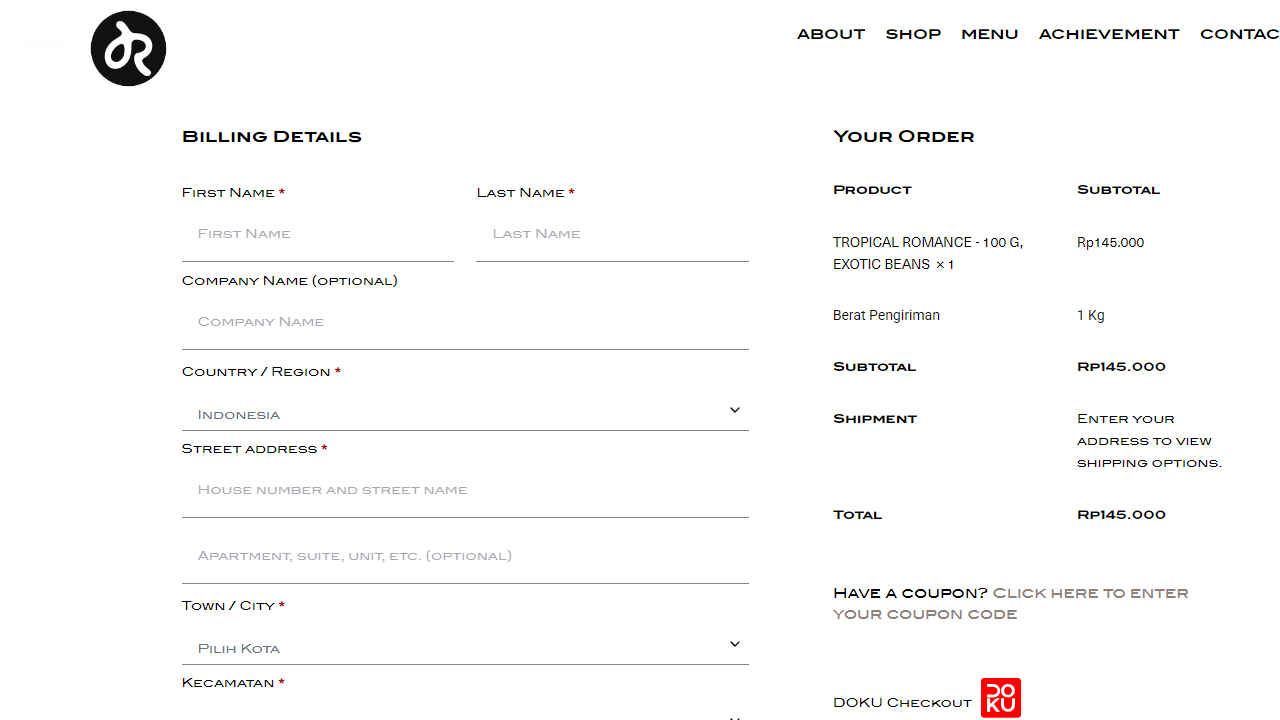
omplete the Billing Details section with your first and last name, full address, city, district, province, postal code, mobile number, and active email address.
This is the address the courier will use to deliver your order, so please make sure all details are accurate.
Enter a mobile number that the courier can easily reach you on, for example, 08xx xxxx xxxx. Couriers often call when they arrive with your package.
Have any special requests? For example, would you like your coffee ground for espresso, or would you prefer the package to be left with the security guard? Simply add your instructions in the Notes about your order field.
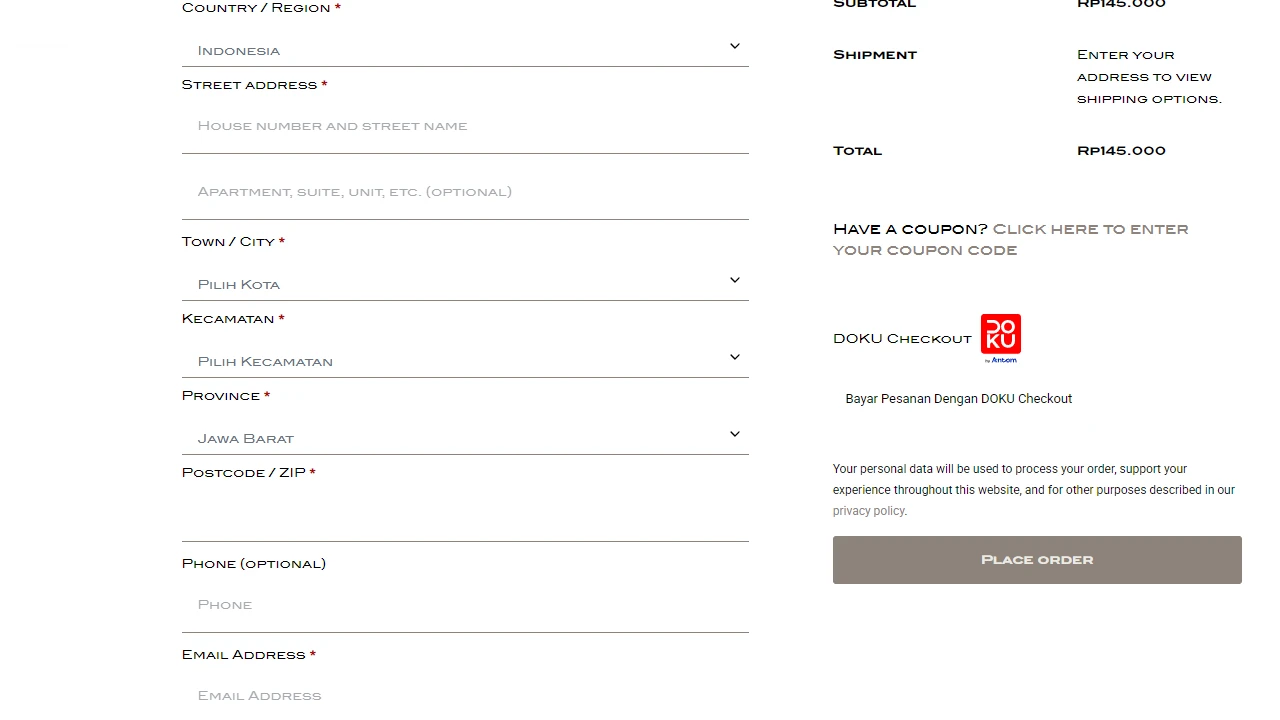
Choose your preferred payment method, then click Place Order. Your payment will be processed securely through DOKU Checkout. You will be redirected to the payment page, where you can select your preferred method, such as bank transfer / virtual account, e-wallet, QRIS, or credit card.
Once your payment is complete, your order will be confirmed and prepared for shipment from Bandung.
Keep your order number and confirmation email for future reference. You will need your order number when checking your delivery status.
Haven’t received your confirmation email? Check your Spam/Promotions folder, or contact us via WhatsApp with your name and order number.
